How to print a 2×2 passport photo on a 4×6 sheet
Updated 2026-10-23
Use the 4×6 print-sheet JPEG, rather than the single portrait, when ordering a 4×6 photo print. The sheet places correctly sized portraits on a larger canvas. Enlarging the single portrait to fill a 4×6 print would make the passport photo too big.
This guide covers a printed US passport application. For US online renewal, upload your original camera photo directly in the government application and crop it there. Do not upload the print sheet.
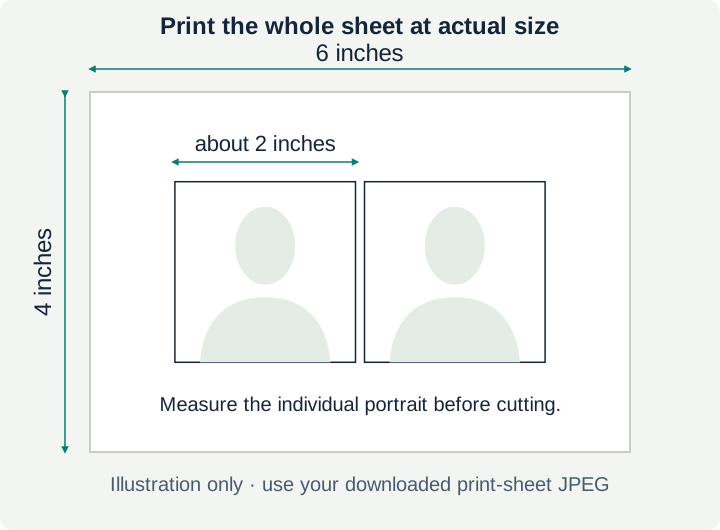
Diagram only, not a printable photo sheet. Use your own downloaded JPEG; the number and arrangement of copies depend on the selected document size.
1. Download the print sheet
After reviewing the preview and checks, choose the 4×6 print-sheet download. Keep the separate digital portrait for applications that accept that kind of file. A screenshot of the watermarked preview is not the purchased print file.
ChinToCrown produces a 1,800 × 1,200-pixel sheet, or the portrait orientation of those dimensions, with 300-dpi metadata. Choose the file itself from your downloads instead of taking a screenshot or copying it through a messaging app.
2. Select the paper and size
| Setting | What to choose |
|---|---|
| Print size | 4 × 6 inches |
| Paper | Photo-quality matte or glossy paper |
| Layout | One complete sheet per 4×6 print |
| Scaling | Actual size / 100%, without extra enlargement |
| Automatic adjustments | Turn off face retouching, filters and other image changes |
Some shops label this print size “10×15 cm.” That is a nominal label, not an exact conversion: 4×6 inches is 101.6×152.4 mm. Confirm the output size and measure the individual passport photo after printing.
The US State Department requires a 2×2-inch photo, approximately 51×51 mm, printed on matte or glossy photo-quality paper. Ordinary office paper is unsuitable.
3. Check the print preview
The preview should show the whole sheet, with its portraits still square. Do not crop a single face to fill the paper or use a collage layout that changes the size of each copy.
If the print app offers “fit,” “fill,” “zoom to fit” or automatic cropping, check what it does before ordering. Borderless printing can also enlarge an image slightly; disable that enlargement where possible. If you cannot control the scaling, ask the printer to preserve the file’s dimensions and check the finished print with a ruler.
4. Measure, then cut
Measure one portrait before cutting: its outside edges should be 2×2 inches, about 51×51 mm, for a US passport. Check the head measurement as well: the official requirement is 25–35 mm from chin to crown.
Cut around the portrait’s outer edge, keeping it square and leaving no extra border or cut marks. Use a sharp paper cutter or scissors. Do not stretch the image to fix a printer-scaling problem; correct the print settings and print again.
Review the final photo for sharpness, shadows, color and damage. Correct dimensions alone do not establish that every passport requirement is met.
Can I use a photo shop?
A shop’s standard photo-print service and its passport-photo service are different products. Ask whether it accepts a prepared 4×6 sheet and whether it can print without changing the crop or scale. We have not verified every shop’s acceptance policy. Printing is paid separately from the ChinToCrown download; check the printer’s current price before ordering.
The CVS guide and Walgreens guide explain their in-store passport-photo services. Those services’ prices do not establish the price or acceptance of a customer-prepared 4×6 sheet.
Start with a suitable original
If your photo has a distracting background, heavy shadows, an open mouth or insufficient resolution, take a new one before paying for a download or print. See how to take a passport photo at home, then use the US passport photo tool for a free crop preview. Automated checks do not guarantee acceptance.
Make a free sheet from an existing square photo
Use the browser-only layout tool for a 300 DPI JPEG with two or six 2×2-inch copies. It does not crop or assess your original photo.
Open the free print-sheet makerMake your photo now
Preview a crop and review the checks before buying a digital file and a 4×6 print sheet. Automated checks do not guarantee acceptance.
Start with a free preview